
You finish a fairly ordinary day, open Activity, and find that your Apple Watch thinks you climbed a small office tower. You remember a few stairs. Perhaps none.
The useful question is where those flights entered the record. A surprising total in Health, a surprising Watch measurement, and a surprising spreadsheet sum are three different problems. Checking the records first gives you a better chance of finding the cause.
Start with one completed day. Find the records behind the number, identify the device that wrote them, and look for the interval when the count jumped.
Your Watch estimates ascent; it doesn't see stairs
Apple describes a system that combines a barometer with motion information. The barometer measures air pressure, which varies with elevation. Together, those signals help the Watch estimate elevation changes, terrain grade, and stair flights. It is an inference from sensors, not a visual count of stair treads. Apple's technical paper, “Barometer” section
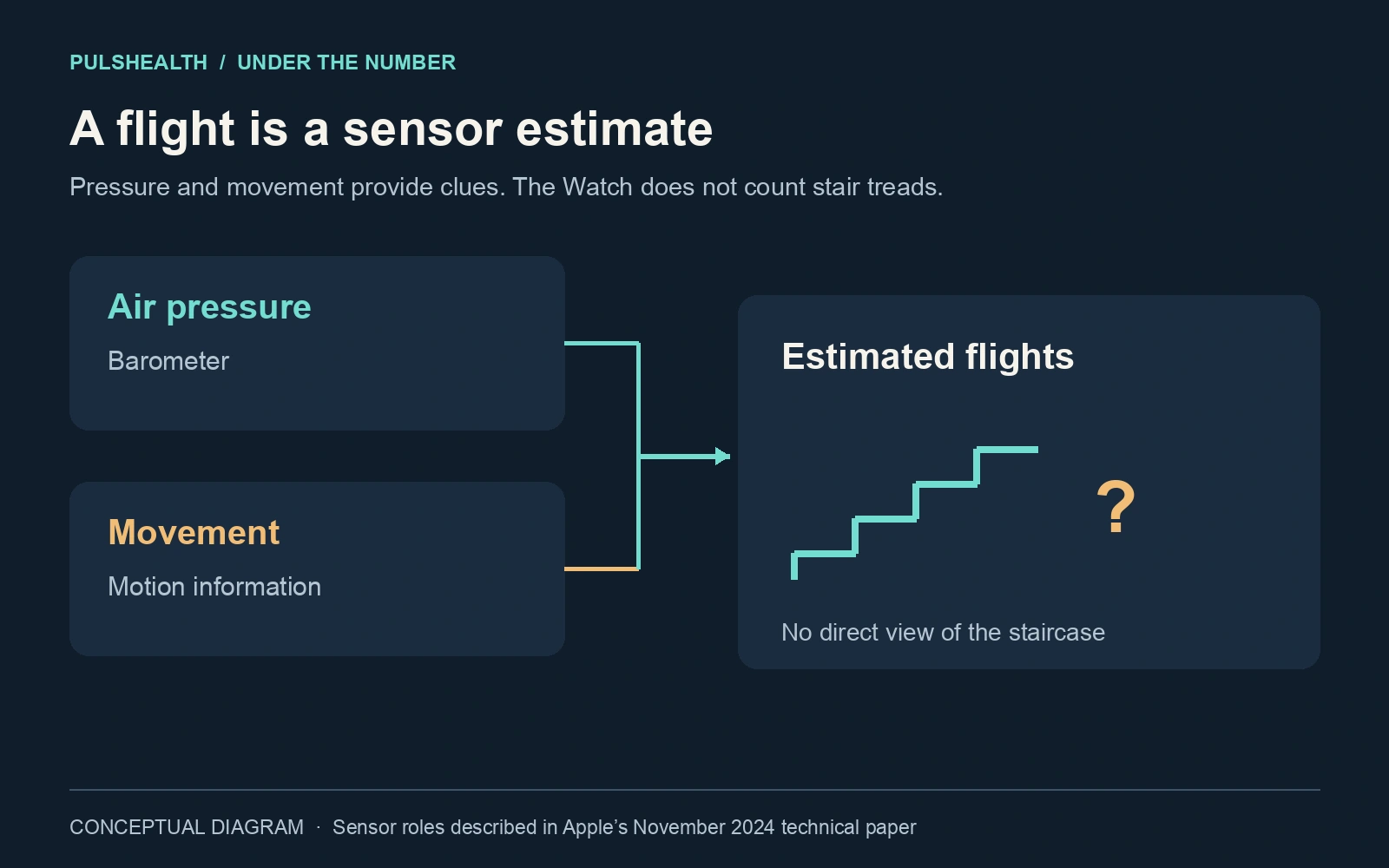
That distinction matters when you ask whether a count is plausible. The number by itself cannot tell you which staircase you used, how many individual steps it had, or exactly how many metres you gained. Multiplying every flight by a fixed building-floor height gives a neat answer, but it doesn't validate the underlying observation.
HealthKit stores Flights Climbed as a cumulative count. Apple lists automatic collection from an iPhone, an Apple Watch, and a Watch connected to a GymKit machine. So even when you're looking at Health on your phone, the record may have come from somewhere else. Apple's Flights Climbed definition
Open the records, not just the chart
On your iPhone, find Flights Climbed in Health under Activity or by searching for its name. Then open Show All Data and inspect the day in question. Open individual entries to check their time and source. Also look at Data Sources & Access to see which devices and apps contribute. Apple documents these controls in its Health data guide.
Write down three things before changing settings:
- When: Was the count spread through the day or concentrated in one interval?
- Who recorded it: Your Watch, your phone, a gym connection, another app, or a manual entry?
- What was happening: Stairs, a walk, a workout, swimming earlier that day, or something you can't reconstruct?
These questions narrow the investigation. They don't turn a memory of the day into a calibrated reference instrument.
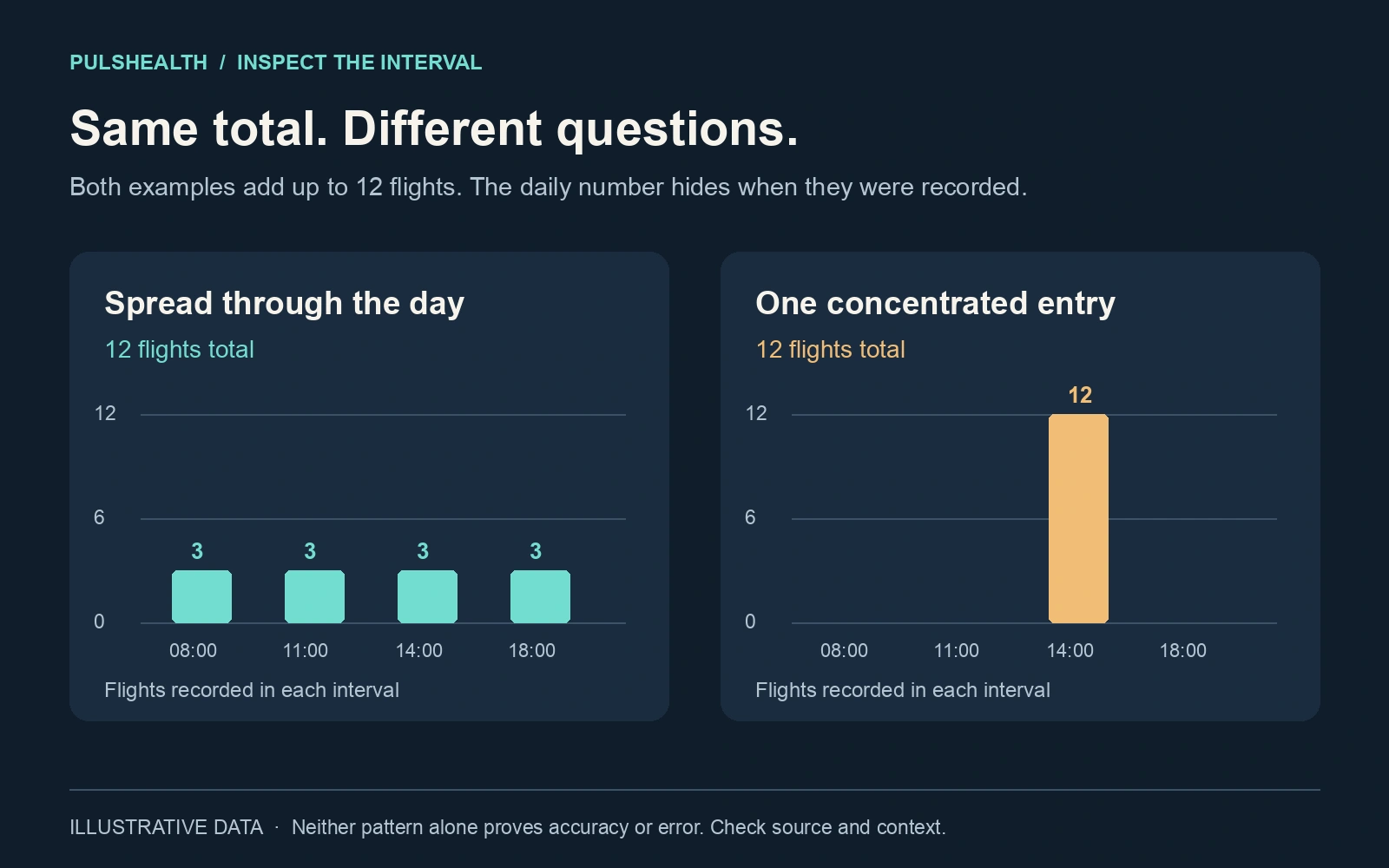
A count concentrated at 2 p.m. gives you something specific to investigate. You can compare that interval with your workout history or a note about where you were. A whole day's total is much harder to explain after the fact.
Separate a sensor problem from a calculation problem
If the odd entry was written by the Watch itself, investigate the recording conditions. If it came from another source, investigate that source first. If the entries look reasonable but only your exported total is huge, inspect the calculation.
A raw export can contain observations from more than one device. Summing every row is not automatically equivalent to Health's combined result. Health prioritizes contributing sources; it is not simply a bag of numbers to add together. Changing priority may change which source is preferred, but it does not repair an inaccurate measurement already recorded by that source. How Health handles multiple sources
For example, suppose a Watch and phone both record two flights during the same trip upstairs. Your script's four-flight sum is not evidence that either device detected four flights. That is an illustrative overlap problem, separate from a Watch producing a large count on its own. The step-count comparison guide works through this distinction in more detail.
When comparing exports, also keep the date boundaries consistent. A late-evening entry grouped by UTC can land on a different date from the same entry grouped by local time. Check the interval and source before declaring a missing or extra day.
One documented thing to check: water
Apple specifically says that water in the air vent can reduce the accuracy of the barometric altimeter on Apple Watch Series 3 and later. Its guidance is to let the water evaporate so performance can return to normal. That makes recent swimming worth noting when investigating a strange ascent estimate. It does not establish that water caused a particular flight count. Apple's water-resistance guidance
Follow Apple's cleaning and drying instructions. Don't poke into openings or try to clear them with compressed air. Apple's cleaning guide
Other explanations circulate online, including weather changes and ventilation systems. A pressure-based sensor makes pressure conditions a reasonable research question. But a daily flight total cannot tell you that a fan, a storm, or a particular doorway caused it. Keep a suspected explanation separate from an observed pattern.
Make the next comparison small
If the problem repeats, collect a short, deliberate example. Note the starting total and time, take a familiar staircase at an ordinary pace, then inspect the subsequent records after they appear in Health. Record the source and interval, not just the before-and-after screenshot. Repeat on another occasion if the result is ambiguous.
This is a troubleshooting observation, not a laboratory accuracy test. A single attempt cannot establish a device's error rate. It can give Apple Support a much better report than “my stairs are wrong”: the model, software version, time, source, recorded amount, and what you actually did.
Be cautious with the common advice to reset fitness calibration. Apple's published calibration procedure targets distance, pace, and calorie accuracy; it does not promise to fix flight counts. Follow it for the problems it addresses, rather than treating it as a universal sensor reset. Apple's calibration instructions
If an entry is demonstrably wrong, preserve your notes before deciding whether to delete it. Avoid deleting an entire device's history just to remove one spike. Health deletions can propagate through iCloud to your other devices. Apple's deletion guidance
For a longer investigation, export selected records and compare their intervals and sources. PulsHealth's Flights Climbed reference explains the stored quantity. The goal is modest: find where the implausible number appeared, so the fix addresses that part of the system.